Google Unveils Cross-Platform File Sharing and Switching Updates for Android and iPhone
Google has announced a series of updates designed to simplify file sharing between Android and iOS devices, as well as make switching platforms smoother. These changes include expanded Quick Share compatibility, a new QR code method for cloud-based transfers, and enhanced migration tools for moving from iPhone to Android—partly driven by the European Union's Digital Markets Act. Below, we answer key questions about what these updates mean for users.
1. What is Quick Share and how is Google improving file sharing between Android and iPhone?
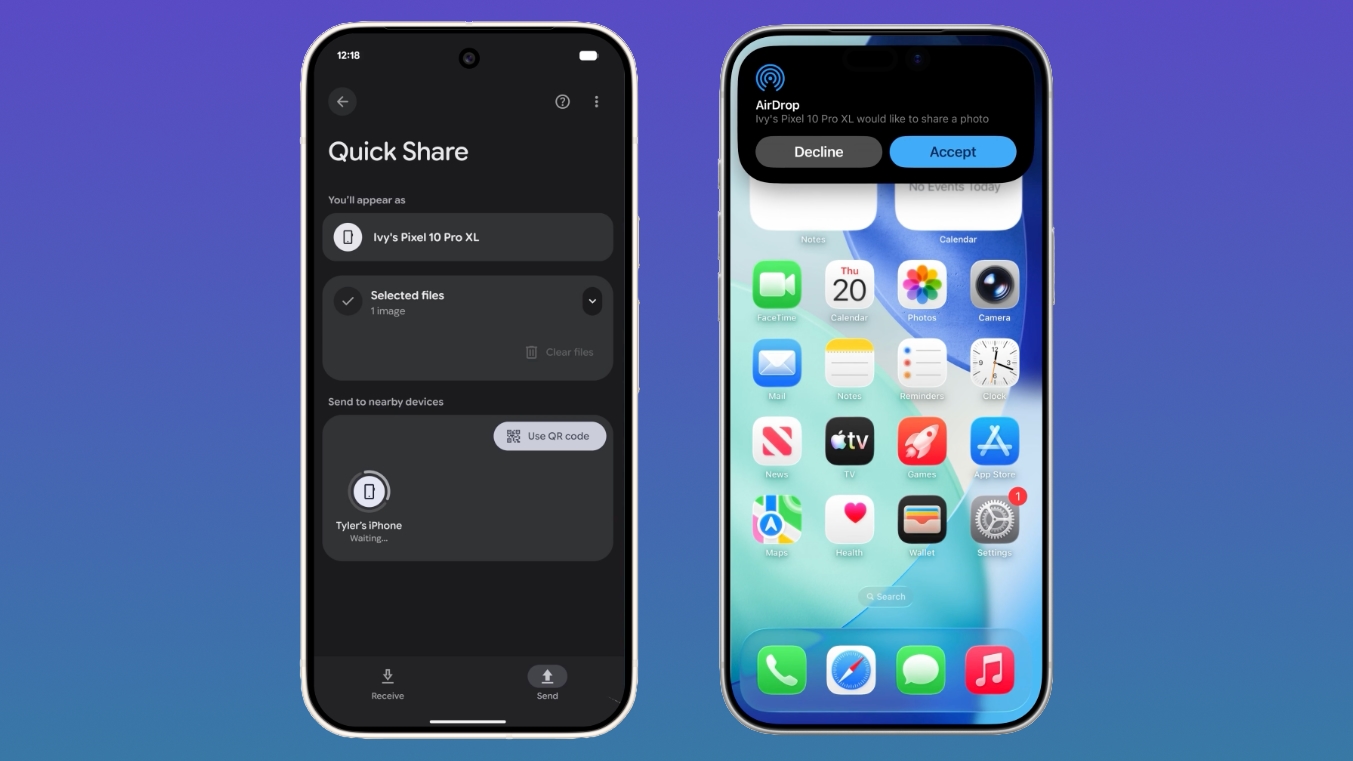
Quick Share is Google's built-in file sharing technology for Android devices, similar to Apple's AirDrop. Until now, it worked seamlessly only among Android devices. Google is now extending Quick Share's reach to iPhones. Users can generate a QR code from their Android phone that, when scanned by an iPhone, initiates a cloud-based file transfer. This feature is rolling out to all Android devices starting today and should be fully available within the next month. Additionally, Quick Share will soon be integrated into apps like WhatsApp, making it even more convenient to share files regardless of platform.
2. Which Android devices will gain native AirDrop compatibility through Quick Share?
Currently, a limited set of Android phones (like some Google Pixel models) can already use Quick Share to interact with Apple's AirDrop. Google now plans to expand this native AirDrop compatibility to devices from Samsung, OPPO, OnePlus, Vivo, Xiaomi, and HONOR in 2026. This means those brands' phones will be able to directly send and receive files with iPhones over Apple's proprietary protocol, without needing QR codes or cloud intermediaries. The expansion is expected to cover both new and existing flagship models from these manufacturers.
3. How does the QR code method work for file sharing with iOS?
For Android devices that don't support direct AirDrop connections, Google has introduced a QR code workaround. When you want to share a file from an Android phone to an iPhone, you open Quick Share and select the option to generate a QR code. The iPhone user scans this code with their camera, which opens a secure cloud-based link. The file is then uploaded from the Android device to Google's servers and downloaded to the iPhone—all within seconds. No app installation is required on the iPhone. Google assures that the transfer is encrypted and private. This feature is being pushed to all Android devices starting today and will be fully deployed worldwide within a month.
4. When will Quick Share be available in apps like WhatsApp?
Google has announced plans to integrate Quick Share directly into popular messaging apps, with WhatsApp being the first third-party app to receive this treatment. While no exact release date has been given, the company says the integration is coming in the near future. Once live, WhatsApp users will be able to choose Quick Share as a sharing method when sending files—making cross-platform transfers even more seamless. This move is part of Google's broader strategy to make Quick Share a universal file transfer standard, regardless of the app or operating system involved.
5. What does the new iPhone-to-Android switching feature offer?
Under pressure from the European Union's Digital Markets Act, Google and Apple have collaborated to create a streamlined data migration tool for users moving from an iPhone to an Android device. Previously, switching was a manual, often frustrating process. The new feature, which Apple implemented in iOS 26.3 (likely a typo for a future version), allows users to wirelessly transfer their eSIM, passwords, photos, messages, apps, contacts, and Home Screen layout directly from an iPhone to a compatible Android phone. Google says the feature will arrive on Samsung Galaxy and Google Pixel devices in 2026. This makes switching platforms as easy as clicking a few buttons, with no need for cables or third-party tools.
6. What data can be transferred during the switch, and when will this feature arrive?
The iPhone-to-Android migration tool supports transferring a wide range of data, including eSIM profiles, saved passwords, photo libraries, iMessage history (via Google's Move to iOS equivalent), apps (matching Android versions), contacts, and even your Home Screen app layout. Google also promises tools for the reverse direction—switching from Android to iPhone—though those are already well-established. The iPhone-to-Android feature, enabled by Apple's iOS 26.3 update, will roll out to Samsung Galaxy and Google Pixel devices starting in 2026, with other Android brands likely to follow. This timeline gives users plenty of time to prepare for a seamless transition.
Related Articles
- How iPhone 17 Defied the US Smartphone Slump in Q1 2026
- How to Check for Gemini's New Speckled Animation on Android
- Pixel 11 RAM Cut: Why Google May Reduce Memory in Its Next Flagship
- 7 Game-Changing Updates for Android-iPhone File Sharing You Need to Know
- React Native 0.84: Hermes V1 as Default and Performance Upgrades
- 10 Key Changes to Plex's Remote Watch Pass Pricing You Must Know for 2026
- From Demo to Deployment: A Flutter Developer's Guide to Shipping Production-Ready AI Features
- New Google Quick Share Features Streamline File Transfers Between Android and iOS