7 Key Building Blocks for Creating an AI Conference Assistant with .NET’s Composable AI Stack
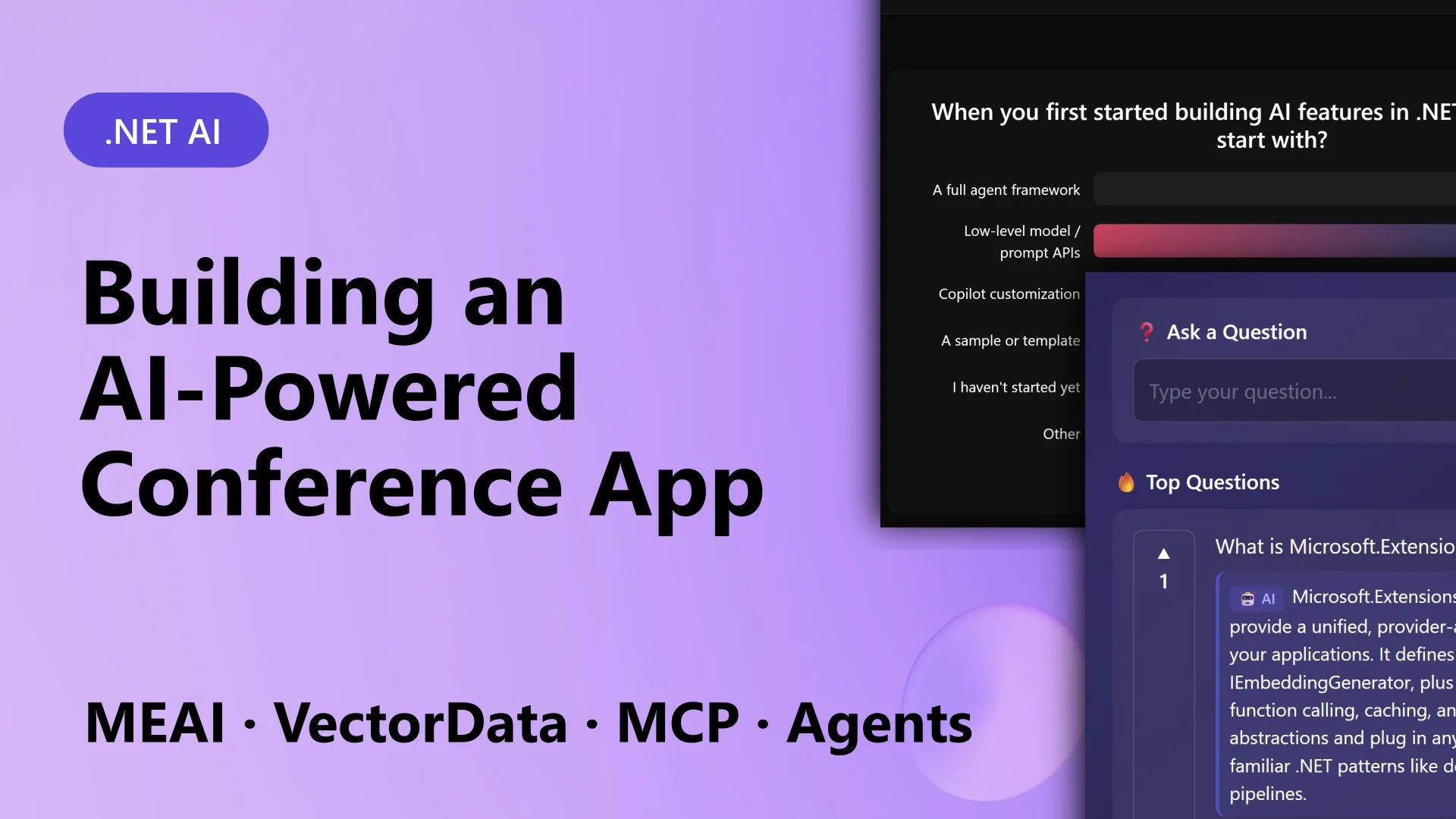
Imagine you’re at a tech conference where the session app not only serves slides but also generates live polls based on the speaker’s content, answers audience questions instantly using a knowledge base, and, when the talk ends, produces a neat summary of what happened. That’s exactly what the team behind ConferencePulse built using .NET’s composable AI stack. Instead of stitching together incompatible tools from different ecosystems, they relied on a set of stable, extensible building blocks from Microsoft that handle everything from AI model calls to data ingestion and multi-agent orchestration. In this article, we break down the seven essential components that made ConferencePulse tick – and that you can use to create your own intelligent conference assistant.
1. Unified AI Client Interface
Microsoft.Extensions.AI provides a single abstraction, IChatClient, that works seamlessly with OpenAI, Azure OpenAI, Ollama, and local models. For ConferencePulse, this meant every AI call – whether generating poll questions, answering Q&A items, or summarizing sessions – went through the same interface. Developers no longer had to worry about switching providers or handling provider-specific client libraries. The unified client also handles common tasks like token management and error handling, making your code portable across environments. In the app, the presenter could swap the backend model from Azure OpenAI to a local Ollama instance without touching any business logic, simply by changing a configuration value.
2. Smart Data Ingestion Pipeline
Before the assistant could answer questions, it needed a searchable knowledge base. Microsoft.Extensions.DataIngestion offers a pipeline that automatically downloads markdown content from a GitHub repository, processes it, and stores it for vector search. ConferencePulse used this to pull session materials, Microsoft Learn docs, and GitHub wiki pages. The pipeline handles chunking, metadata extraction, and embedding generation in a configurable sequence. Once set up, you just point it at a repo URL, and the app builds a grounded knowledge base ready for retrieval-augmented generation (RAG). This automation was critical for the MVP Summit demo, where preparation time dropped from hours to minutes.
3. Vector Database for Semantic Search
With ingested content, Microsoft.Extensions.VectorData provides a common abstraction over vector stores like Qdrant, Azure Cognitive Search, and others. ConferencePulse used Qdrant (run via Aspire) as its vector database to support semantic search on polls, questions, and knowledge snippets. When an attendee asked a question, the system converted it to an embedding, searched the nearest vectors in Qdrant, and returned the most relevant pieces of text. The unified vector data interface means you can swap out the underlying store without rewriting your search logic – perfect for moving from development (in-memory) to production (Azure or Qdrant).
4. Model Context Protocol (MCP) Integration
The Model Context Protocol (MCP) enables secure, standardized communication between AI models and external tools or data sources. In ConferencePulse, an MCP server exposes tools like “get live poll results” or “fetch session transcript,” and the AI agents call these tools through an MCP client. This decouples the model from the underlying data sources, making it easy to add new capabilities – such as a tool that queries a database of past sessions – without modifying the agent logic. MCP follows a client-server architecture, and .NET’s implementation includes built-in support for the MCP specification, so you can share tools across different agents and even other applications.
5. Multi-Agent Orchestration
ConferencePulse’s summarization and insight features rely on multiple AI agents working together. Built on Microsoft Agent Framework, these agents are small, focused modules: one handles poll analysis, another summarizes Q&A, a third detects patterns. The framework orchestrates them concurrently, collecting results and merging them into a unified session summary. Each agent can call its own tools (via MCP) and has its own system prompt. The orchestration layer manages the conversation flow, handles failures, and aggregates outputs. This pattern is incredibly powerful – you get the parallelism of specialized agents with the coherence of a single orchestration engine.

6. Real-Time Polls and Q&A
The app’s most visible features are live polls and audience Q&A, both AI‑driven. Polls are generated automatically based on the session’s content by asking the AI model (via IChatClient) to suggest multiple‑choice questions relevant to the current topic. Attendees vote through a Blazor Server interface, and results update in real time using SignalR. The Q&A system uses a RAG pipeline: it takes the user’s question, retrieves relevant chunks from the vector database, and sends them to the model along with the question. This ensures answers are grounded in the session’s knowledge base, reducing hallucinations and making the assistant trustworthy.
7. Automated Session Summarization
When the presenter ends a session, a chain of agents kicks off. Three specialized agents work in parallel: one analyzes poll results for trends, one reviews audience questions and answers for common themes, and one examines engagement patterns (e.g., which topics sparked the most discussion). A fourth agent, the “merger,” combines their outputs into a concise summary that the presenter can share with attendees. The entire process runs server‑side and completes in seconds. This automation provides immediate value – speakers get actionable insights, and attendees receive a recap even before leaving the room. It’s a perfect example of how composable AI blocks can create a seamless end‑user experience.
Building an AI‑powered conference app doesn’t have to mean cobbling together incompatible libraries. With .NET’s composable AI stack – from Microsoft.Extensions.AI to the Agent Framework and MCP – you get stable, extensible primitives that handle the heavy lifting. ConferencePulse shows how these blocks fit together to create live polls, smart Q&A, and automated summaries. Whether you’re building a conference assistant or any other AI‑enhanced application, these seven building blocks give you a solid foundation. Start experimenting today and see how fast you can go from idea to working prototype.
Related Articles
- 7 Key Facts About Apache Arrow Support in mssql-python
- Scenario Models Refuse to Forecast, Outperform Traditional Polls in English Local Elections Analysis
- 10 Essential Steps to Build an Efficient Knowledge Base for AI Models
- Essential Steps for Cleaning Time Series Data in Python
- 2021 Quantization Algorithm Surpasses 2026 Successor in Key Accuracy Metric, Researchers Reveal
- MSSQL-Python Driver Gets Lightning-Fast Apache Arrow Support: Zero-Copy Data Fetching Arrives
- Navigating Electoral Uncertainty: A Q&A on Scenario Modelling for Local Elections
- Pandas Remains Unshakeable in Data Wrangling: Expert Insights on Why It’s Not Going Anywhere